Do's and Don'ts when using an online service provider
How to choose and work with online service providers such as formation agents, banks and payment platforms, with a checklist of what to check before you sign up.
 7 min read
An online service provider is any business that delivers its service over the internet: online banks and payment platforms, accounting software, e-commerce platforms, cloud storage and, increasingly, company formation and corporate services. Running a business through online providers saves time and money, but it also means trusting a company you may never meet with your documents, your data and sometimes your money.
This guide sets out practical do's and don'ts for choosing and working with an online service provider, with a focus on the providers that matter most when you start a company: formation agents, registered agents, and banking and payment partners.
What is an online service provider?
The term originally described companies that gave people access to the internet and basic services such as email. Today it covers almost any company that provides a service online. For a business owner, the main categories are:
- Corporate service providers: company formation, registered office and registered agent services, company secretarial work and compliance reminders.
- Financial service providers: digital banks, electronic money institutions (EMIs) and payment service providers (PSPs) offering business accounts, cards and payment processing.
- Software providers: accounting, invoicing, e-signature, e-commerce and cloud storage tools.
The upside is speed and convenience: you can form a company, sign documents and apply for an account without leaving your desk. The downside is that the usual signals of trust, such as an office you can visit or a person across the table, are missing. That makes your own checks more important.
The do's
1. Do check the provider's regulatory status
Many online services are regulated activities. Formation agents and company secretaries are licensed in many jurisdictions; in Hong Kong, for example, trust or company service providers need a TCSP licence. Banks, EMIs and PSPs must hold a licence from a financial regulator. Ask which licence the provider holds and check it on the regulator's public register rather than relying on a logo on the website.
2. Do research their reputation and track record
Look at independent reviews over time, not just the testimonials the provider chooses to publish. A steady pattern of complaints about hidden charges, slow responses or lost documents is a warning sign. If you can, speak to existing clients or people in your network who have used the same service. How a company treats its staff, visible in employee reviews, often tells you how it will treat its clients.
3. Do ask exactly what is included in the price
Low headline prices often leave out government fees, the registered office, the registered agent, annual renewal or the first year's filings. Ask for a written list of what the fee covers in year one and what renewal costs. A clear provider will show this upfront. At WeForm, for example, each package lists what is included for year one, such as the registered office, government fees for setup and the registered agent or secretary where applicable, and renewal prices are shown before you pay.
4. Do check how they protect your data
You will upload passports, proof of address and company documents. Ask how this data is stored, who can see it and how identity checks are carried out. Look for encrypted storage, secure online identity verification and two-factor authentication on your account. Our security page explains how WeForm handles this, and our article on safeguarding your finances with digital banking covers the banking side.
5. Do make sure they can support you after setup
Forming the company is the first step. You will also need annual renewals, filings, changes of directors or shareholders, and sometimes certified documents for a bank. A good provider gives you access to your corporate documents in one place, reminds you of deadlines and can tell you who to contact when something urgent comes up. Check how support works: email, chat, a named manager, and typical response times.
6. Do confirm what happens with banking
Opening a business account is often the hardest part of starting an international company. Ask whether the provider helps with account opening, which types of institutions they work with and what the realistic timeline is. Be wary of anyone who guarantees approval, because the final decision always rests with the bank or payment institution. Read more in the difficulties of opening a bank account.
The don'ts
1. Don't choose on price alone
An offer that looks too good to be true usually is. A cheap formation that skips proper compliance checks or uses an unsuitable address can cost you far more later, for example if your bank application is rejected or the company is struck off for missed filings.
2. Don't accept vague promises
Be careful with phrases like "guaranteed bank account", "no paperwork" or "completely anonymous". Legitimate providers must identify their clients and the beneficial owners of the companies they form. A provider that skips these checks puts your company at risk.
3. Don't ignore the jurisdiction's own rules
The provider works within the law of the country where your company is registered. Make sure you understand the basic obligations that come with your choice of jurisdiction, such as annual returns, beneficial ownership registers and accounting records. A good starting point is our guide to the seven responsibilities of a corporate director.
4. Don't mix personal and business finances
Once your company exists, run its income and expenses through a business account in the company's name. Using a personal account for company money weakens the separation between you and the company, which is one of the main reasons to form a company in the first place. See sole proprietorship vs limited liability company for why that separation matters.
5. Don't hand over control of your accounts
Keep your own login details for every service and never share passwords or one-time codes, even with your provider. A legitimate provider will never ask for your banking credentials.
6. Don't treat general guidance as legal or tax advice
Formation providers can explain how a jurisdiction works and what the filing requirements are. Your personal tax position depends on where you live and how you run the business, so take advice from a qualified tax adviser where needed.
Checklist before you sign up
- Is the provider licensed where required, and can you verify it on a public register?
- Is the year-one price clear, and do you know the renewal cost?
- Does the price include the registered office, government fees and registered agent or secretary?
- How are your identity documents verified and stored?
- Can you sign documents and access your corporate records online?
- What support is available after incorporation?
- Do they help with business account opening, and do they explain that approval is the institution's decision?
How WeForm works
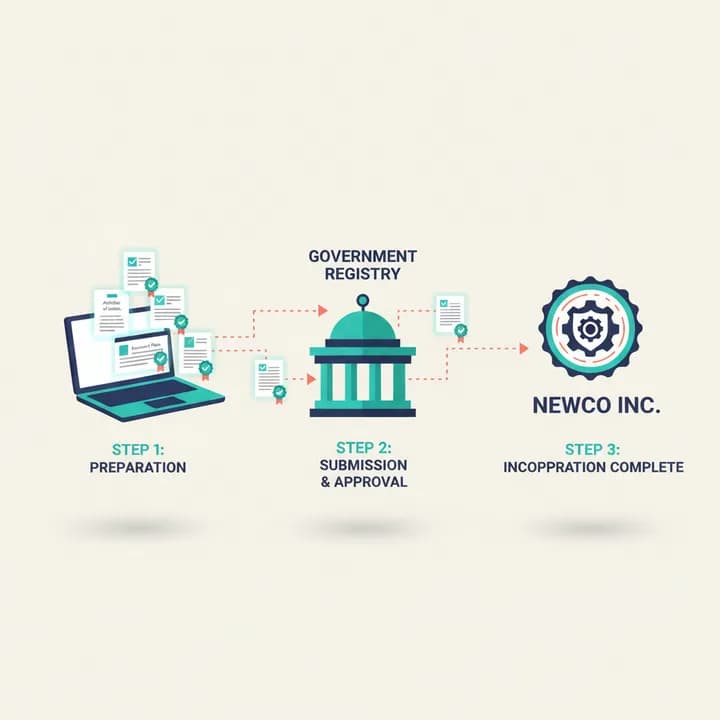
WeForm is a fully online company formation platform for six jurisdictions: the United Kingdom, Hong Kong, Seychelles, the Marshall Islands, Costa Rica and IFZA Dubai. You complete the application wizard, pass an online identity check, sign documents electronically and receive your corporate documents in your dashboard, together with a compliance calendar. Every package includes help with business account opening with supported financial institutions, and there are no hidden fees. If you are still weighing up options, our guide to offshore companies is a good next read, or you can start your application now.
FAQ
What is the job of an online service provider?
An online service provider delivers a service over the internet. In a business context that can mean anything from hosting and software to banking, payments and company formation.
Is an online service provider the same as an internet service provider?
No. An internet service provider (ISP) connects you to the internet. An online service provider offers services that you use once you are connected, such as banking, e-commerce or corporate services.
How do I know if an online company formation agent is legitimate?
Check that it is licensed where the jurisdiction requires it, that it carries out identity checks on clients, that prices and renewal costs are published, and that independent reviews are consistent over time. Avoid providers that promise anonymity or guaranteed bank accounts.
Is it safe to upload my passport to an online provider?
It can be, if the provider uses encrypted storage and a secure identity verification process. Ask how documents are stored and who has access before you upload anything.