Best Digital Banking Apps for Freelancers & SMEs
What freelancers and small businesses should look for in a digital banking app, the popular options, and why where your company is registered decides which ones you can use.
 6 min read
Digital banking has changed how freelancers and small businesses handle money. Accounts open online, cards arrive in days, invoices go out from the same app that receives the payment, and clients abroad can pay you in their own currency. For anyone who works independently, the right account saves hours of admin every month and a noticeable share of income lost to fees and poor exchange rates.
This guide covers what to look for in a digital business account, which apps freelancers and SMEs commonly use, and one point most comparison lists skip: the account you can open depends on where your business is registered.
Why digital banking suits freelancers
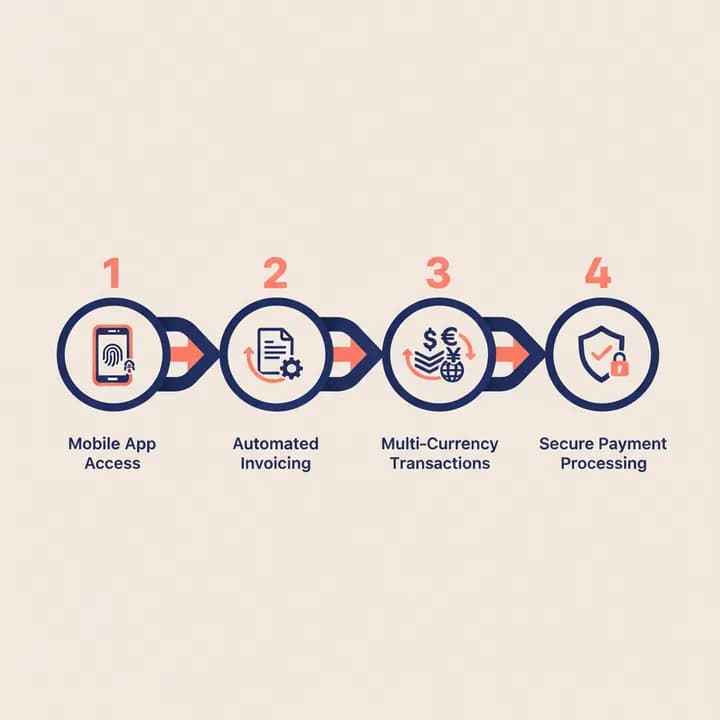
Traditional banks were built around branches, fixed salaries and local clients. Freelance income looks different: irregular payments, several currencies, clients in other countries and a lot of small transactions. Digital banks and electronic money institutions (EMIs) were designed for this pattern. Typical advantages include:
- Remote account opening: identity checks and document uploads happen in the app, with no branch visit.
- Lower or transparent fees: many providers publish a simple price list and charge little or nothing for a basic plan.
- Multi-currency balances: hold and convert EUR, USD, GBP and other currencies, and receive payments with local account details in several countries.
- Built-in tools: invoicing, expense categorisation, receipt capture and exports to accounting software.
- Real-time control: instant notifications, card freezing and spending limits from your phone.
For a wider look at the benefits, read Fintech and You: The Benefits of Digital Banking.
What to look for in a digital business account
Transparent fees
Check monthly plan costs, transfer fees, currency conversion margins and card fees abroad. A free plan with a wide FX margin can cost more than a paid plan if most of your clients pay in a foreign currency.
Multi-currency support and international payments
If you invoice clients in several countries, look for local receiving details (for example a UK sort code, a EUR IBAN or US routing details) so clients can pay you as if you were a local supplier. Our step-by-step guide to opening a multi-currency business account explains how these accounts work.
Invoicing and bookkeeping
Integrated invoicing and accounting exports cut the time you spend on admin and make year-end filing easier. Check which accounting tools the provider connects to.
A usable mobile app
You will manage almost everything from your phone, so the app has to be fast and clear: payments, approvals, statements and card controls should be a few taps away.
Cards and cash access
Business debit cards, virtual cards for online subscriptions and reasonable ATM limits matter if you travel or pay for software and advertising.
Security and support
Look for strong authentication, real-time fraud alerts and a support team you can actually reach. Our article on safeguarding finances with digital banking covers the security features worth insisting on.
Popular digital banking apps for freelancers and SMEs
The apps below are widely used by independent professionals and small companies. Each one has its own eligibility rules, mainly based on where your business is registered, so check the provider's current terms before you apply.
- Wise Business: known for multi-currency balances, local receiving details in several currencies and low-cost international transfers.
- Revolut Business: multi-currency accounts with cards, expense tools and integrations, aimed at freelancers and growing teams.
- Mercury: online business banking for companies incorporated in the United States, popular with startups.
- Found and Novo: app-based accounts for US self-employed people and small businesses, with built-in bookkeeping and invoicing features.
- N26: a mobile bank offering accounts for freelancers and self-employed customers in a number of European countries.
- Bluevine: business checking and credit products for small businesses in the United States.
Notice the pattern: several well-known apps only serve US or European businesses. If you run your business through a company in Hong Kong, Seychelles or the Marshall Islands, for example, the list of providers that will onboard you is different, and finding them on your own takes time. We explain why in the difficulties of opening a bank account.
Freelancer or company? Why the structure matters
Many freelancers start as sole traders and use a personal or sole-trader account. As income grows, a limited company often makes sense: it separates business and personal liability, looks more established to larger clients, and lets you open a proper business account in the company's name. If you are weighing this step, read Sole Proprietorship vs Limited Liability Company.
The jurisdiction you choose then shapes your banking options. A UK private limited company, for instance, is accepted by a wide range of UK and European digital banks and EMIs. Companies in other jurisdictions can still open multi-currency accounts and payment processing, but usually with a more specific set of institutions.
How WeForm helps
WeForm forms companies online in six jurisdictions: the United Kingdom, Hong Kong, Seychelles, the Marshall Islands, Costa Rica and the IFZA free zone in Dubai. Every package includes payment account opening assistance: we introduce your new company to supported banks, EMIs and payment service providers that offer multi-currency accounts, processing and collections. Account opening is fully remote and typically takes 3 to 14 business days. The final decision always rests with the financial institution, so approval is not guaranteed.
Your client dashboard also includes WeFormInvoice for issuing invoices, a compliance calendar for your deadlines, and your corporate documents in one place.
See how it works on our banking services page, compare payment solutions for collecting from clients, or start your company online.
FAQ
Can a freelancer open a business account without a company?
Some digital banks offer accounts for sole traders or self-employed people, depending on the country where you live and are registered. A limited company gives you access to a wider range of business accounts and separates your personal and business finances.
Can a newly incorporated company open a digital business account?
Yes. Many banks and EMIs accept newly formed companies. Expect to provide your company documents, identification for directors and owners, and a short description of your business and expected transactions.
Is a digital bank as safe as a traditional bank?
Licensed digital banks and EMIs are regulated, but protection differs: EMIs safeguard client funds rather than offering deposit insurance in many cases. Check the provider's licence and how your money is protected.
Which account is best for clients paying in several currencies?
A multi-currency account with local receiving details in your main client currencies usually works best, as clients pay locally and you convert only when you choose.